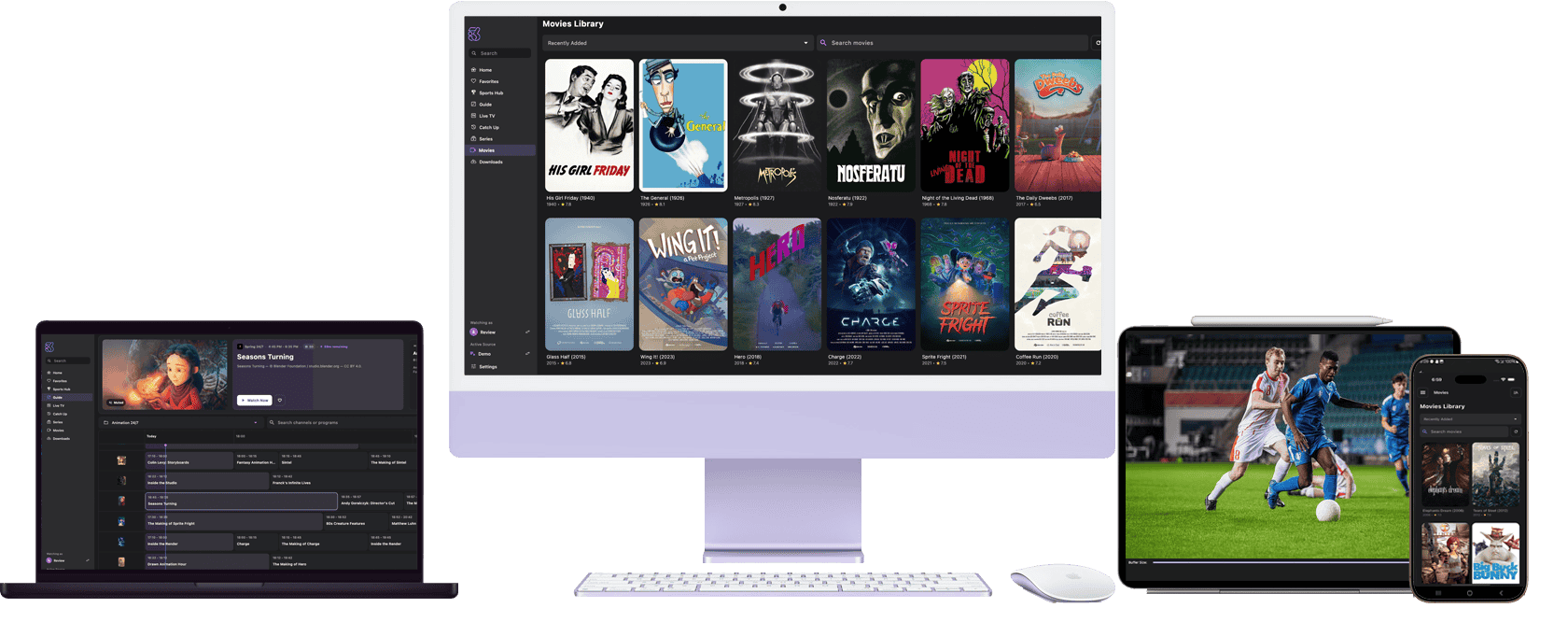
o3IPTV is subscription-based media player software for users who manage their own lawfully authorized media sources.
o3IPTV does not sell, provide, host, retransmit, or include channels, streams, or media content.
Available for Windows, macOS, Linux, Android Mobile, and Meta Quest
Organize sources, manage playback, and control your library from one clean interface.
Use your own compatible live sources with a sleek visual grid. Filter by group, search by name, and open saved sources quickly.
The player automatically adjusts its playback profile in real time based on network and source conditions for smoother viewing.
Browse artwork, descriptions, seasons, episodes, and metadata from your own authorized library sources in a clean, easy-to-browse layout.
View compatible guide data from user-provided sources with a scrollable timeline, plus current and upcoming program details when available.
Pick up exactly where you left off. Playback position is saved automatically across supported media items and playback sessions.
When supported episodic media ends, the next item can start automatically to keep playback moving.
Exclude groups or imported library sections you do not want stored locally for a cleaner, more focused setup.
When a source supports restart or replay, jump back to the beginning or open earlier entries from imported guide data.
Switch audio tracks and subtitles on the fly, with adjustable subtitle sizing for comfortable viewing.
Save supported playback sessions from your authorized sources directly to your device with built-in start and stop controls.
Download supported media from your authorized sources for offline access, with real-time progress tracking.
Capture still images from playback with a single tap and save them directly to your device.
Your home screen highlights recently added items, saved favorites, and current guide events from your imported sources.
Save frequently used sources and media items for quick access, neatly organized so they stay easy to reach.
Filter imported sources, guide data, and library metadata by group or genre to narrow things down quickly.
Export supported recordings to MP4 and share the files with other apps when your source rights allow it.
Manage as many playlists or source lists as you need. Switch between them effortlessly, each with its own saved sources, metadata, and favorites.
Background refresh keeps user-added playlists and guide data in sync so authorized updates appear automatically.
Search across imported sources, guide data, and saved media metadata with built-in history and smart suggestions.
Update source credentials without re-importing your playlist. Favorites, guide data, and playback history stay intact.
One app, every screen. Enjoy a consistent, premium experience on Windows, macOS, Linux, Android Mobile, and Meta Quest.
What people are saying about o3IPTV.
University Student
“o3IPTV makes it easy to organize the authorized sources I already use. The interface is clean and simple.”
Frequent Traveler
“I travel constantly, and o3IPTV keeps my saved sources, guide data, and playback progress consistent across my phone and laptop.”
Film Enthusiast
“I manage a large personal media library and several source lists, and o3IPTV keeps everything organized without the clutter.”
Pick your platform and install the player software. No channels, streaming links, or media content are included.
Software Subscription
Free beta access will stay available for a limited time. Future subscriptions pay for o3IPTV app features, updates, and support only. No channels, streaming links, or media content are sold or included.
Planned software pricing
Pricing applies to the software subscription only. Users supply their own authorized sources.